
VendorCAD
From one frozen STEP to an adjustable recipe.
We take a single fixed-size model of your part, rebuild it with knobs, wire those knobs to a web configurator, and let your customer download a ready-to-use STEP the instant they request a quote.
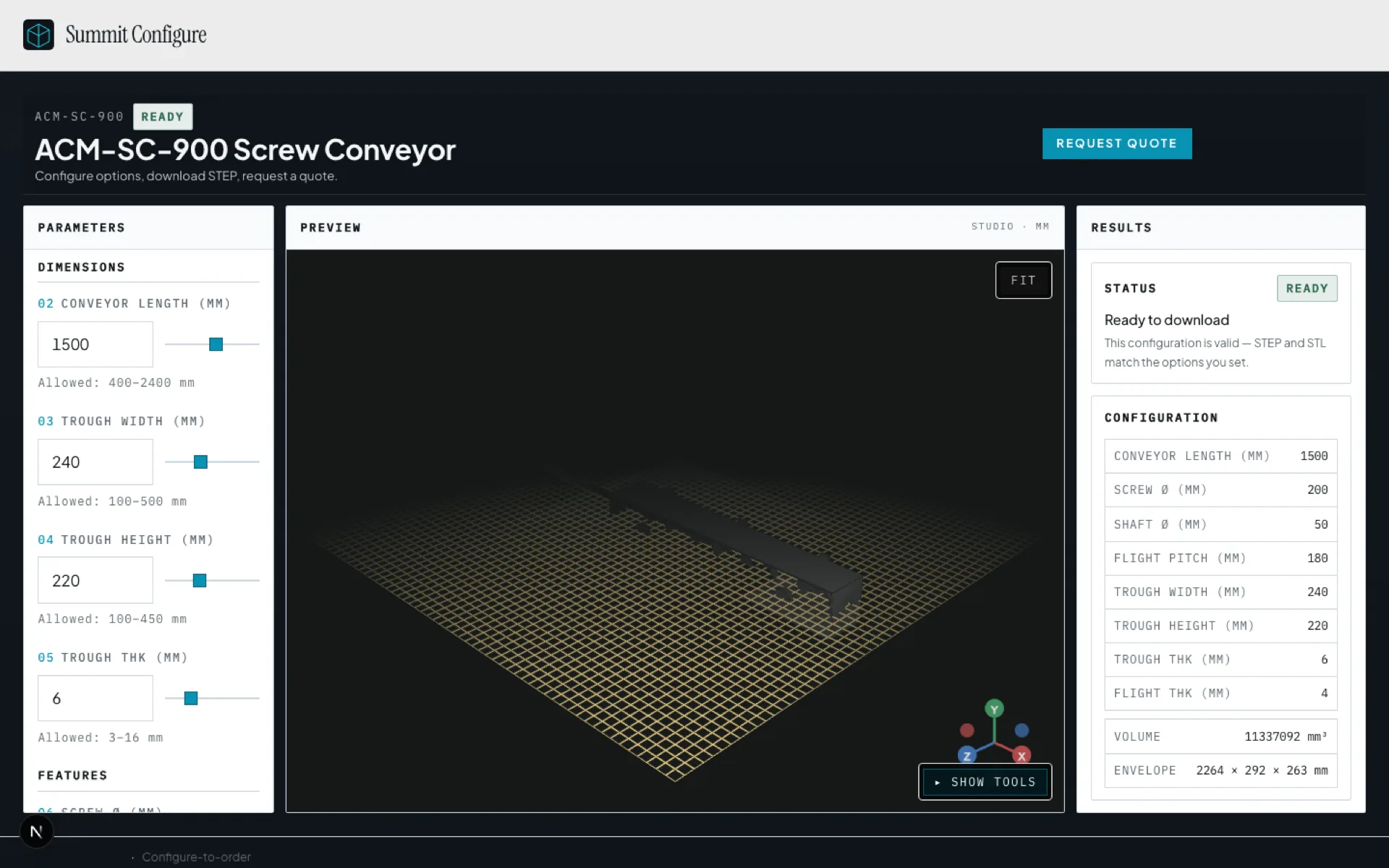
Reference STEP in. Designed-in STEP out.
Their frozen STEP tells you exactly what to build → you rebuild it as an adjustable recipe → the website’s sliders wire to the recipe’s knobs → the customer turns the knobs and watches it change → they download a fresh STEP of their exact version → they drop it into their own design and keep working → that supplier just got designed in while competitors are still answering email.
01
You
One frozen STEP as reference
You send a correct part at one size, shop conventions and all. That file is the ground truth we build against.
02
VendorCAD
Rebuild as a parametric recipe
We remodel so length, diameter, and related dims are variables with relationships. One recipe becomes thousands of valid parts.
03
VendorCAD
Wire web knobs to those variables
Sliders and dropdowns on your branded site send numbers to the model. Their customer sizes the part; the recipe rebuilds; live 3D updates.
04
Their customer
See the geometry
They know exactly what they asked for before anyone quotes.
05
Their customer
Download a fresh STEP
Backend rebuilds their exact configuration and exports STEP, the universal CAD handshake, into their assembly now.
06
You
Quote with exact spec
Quote carries frozen parameters. You get designed in while competitors are still answering email.
Always both halves of the value.
For the business (who pays)
Higher win rate. Comparison-shopping buyers design around the supplier who delivers a correct model instantly, before competitors respond.
For their customer (who uses it)
See it, get the STEP file, keep designing. Quote requests carry the exact spec instead of a dimension PDF to decode.
For operations
Quote requests arrive with frozen parameters. Publish, revoke, and manage families from the App.
Prove one family. Then expand.
A Validation Pilot starts from one correct STEP of one family. We set up the sizes and options, and prove instant STEP + designed-in motion. A catalog engagement expands to a branded multi-family experience. Scope is confirmed on a call. Contact us.
Know DriveWorks?
Same configure job. Designed-in STEP.
Same configure job. VendorCAD ships a branded share link with designed-in STEP.
Sales opens the link mid-call. Buyers see live 3D as rules apply.
When the configuration passes gates, they download manufacturing-ready STEP.
Quote requests land with the exact spec attached, ready for the App inbox.
Next step
Book a walkthrough of the recipe path.
Book a walkthrough, or see how it works. Higher win rate. Comparison-shopping buyers design around the supplier who delivers a correct model instantly, before competitors respond.